
Migration
How to move a Serato library to a new computer
Most people who move a Serato library to a new computer copy their music across, open Serato, and find every track duplicated with half of them showing as missing. It is avoidable, and it comes down to bringing three things instead of one.
Copy your entire _Serato folder and music library to the new computer’s exact same paths, or update all file references by re-linking via Serato’s Relocate function. Keeping paths identical is fastest; otherwise, expect a crate rebuild after each relocation.
What actually has to travel
| What | Where it lives | What happens without it |
|---|---|---|
| Your music files | Wherever you keep them | Nothing plays |
The _Serato_ folder | Beside your music, on each drive | No crates at all |
| The Serato Library folder | Music › _Serato_ on the system drive | Crate order, history and preferences lost |
People copy the first and forget the other two, then wonder where the crates went. Check every drive for a _Serato_ folder, including externals, because a portable library keeps its own.
Before you unplug anything
Ten minutes here saves a day later. Run through this on the old machine while it still works.
- Note your Serato version. Newer builds upgrade the database and going back down afterwards is unreliable.
- Note the exact path to your music.
D:Musicis not the same asD:DJMusic, and matching it on the new machine is the difference between a five-minute job and a five-hour one. - Open every drive and search for
_Serato_. Most people have two or three and remember one. - Play four or five tracks from different crates. If something is already broken, find out now rather than blaming the move.
- Copy the whole
_Serato_folder to a stick. Small, and it is the only irreplaceable thing in this process.
The move, step by step
- Close Serato on both machines. Nothing that follows is safe with it open.
- Copy your music folder to the new machine, keeping the folder structure exactly as it was.
- Copy every
_Serato_folder you found, into the matching place on the new machine. - Match the paths if you can. If your music was at
D:Music, put it atD:Music. Do this and there is often nothing left to fix. - Open Serato and look before touching anything. If the crates are there and the tracks play, you are done.
- Only if tracks show red, relink them. Do not re-import.
Step 6 is where libraries get wrecked. Re-importing the music on top of an existing library is what produces the duplicated, half-missing mess. Relinking repairs the paths and keeps your cue points; re-importing throws them away.
Questions people ask mid-move
Can I just copy the crates and not the database?
You can, and it half works. Crate files hold the track lists, but the database holds cue points, loops, grids and ratings. Copy the crates alone and you keep your organisation and lose your work.
What if the new machine gives the drive a different letter?
Every path breaks at once. Change the letter back in Disk Management rather than relinking thirty thousand tracks. It takes a minute and fixes everything.
Do I need the same Serato version?
Match the version if you can, at least at first. Newer Serato will read an older library, but going back down a version after it has upgraded the database is not reliable.
Mac to Windows, does that work?
The library format is the same, but path formats are not. Expect to relink everything. Keeping the same folder names helps a lot.
The three things that go wrong
Everything is duplicated
Caused by importing the music again after copying the library across. Serato now has two entries for every file. Clearing them is covered in the duplicates guide, and the copy holding your cue points is the one to keep.
The crates are there but everything is red
The paths changed. Either the drive letter differs or the folders sit somewhere new. Fixing the letter is quicker than relinking; if that is not possible, relink in one pass rather than track by track.
Some crates came across and others did not
You missed a _Serato_ folder on another drive. Go back and check every drive, including the external you only use at gigs.
Moving to an external drive instead of a new machine
A portable library behaves differently and it catches people out. Serato keeps a separate _Serato_ folder on each drive, so an external carries its own crates around with it.
- If the external already has a
_Serato_folder, do not overwrite it. Merge them, or you lose whatever crates were already there. - Pin the drive letter in Disk Management. That one change prevents most of what goes wrong when you move a Serato library to a new computer and then plug the same drive into a third machine.
- Eject properly, every time. Pulling a drive mid-write is the single biggest cause of lost crates.
- Keep the music and the
_Serato_folder on the same drive. Split them and the library only works when both are connected.
Doing it with a tool instead
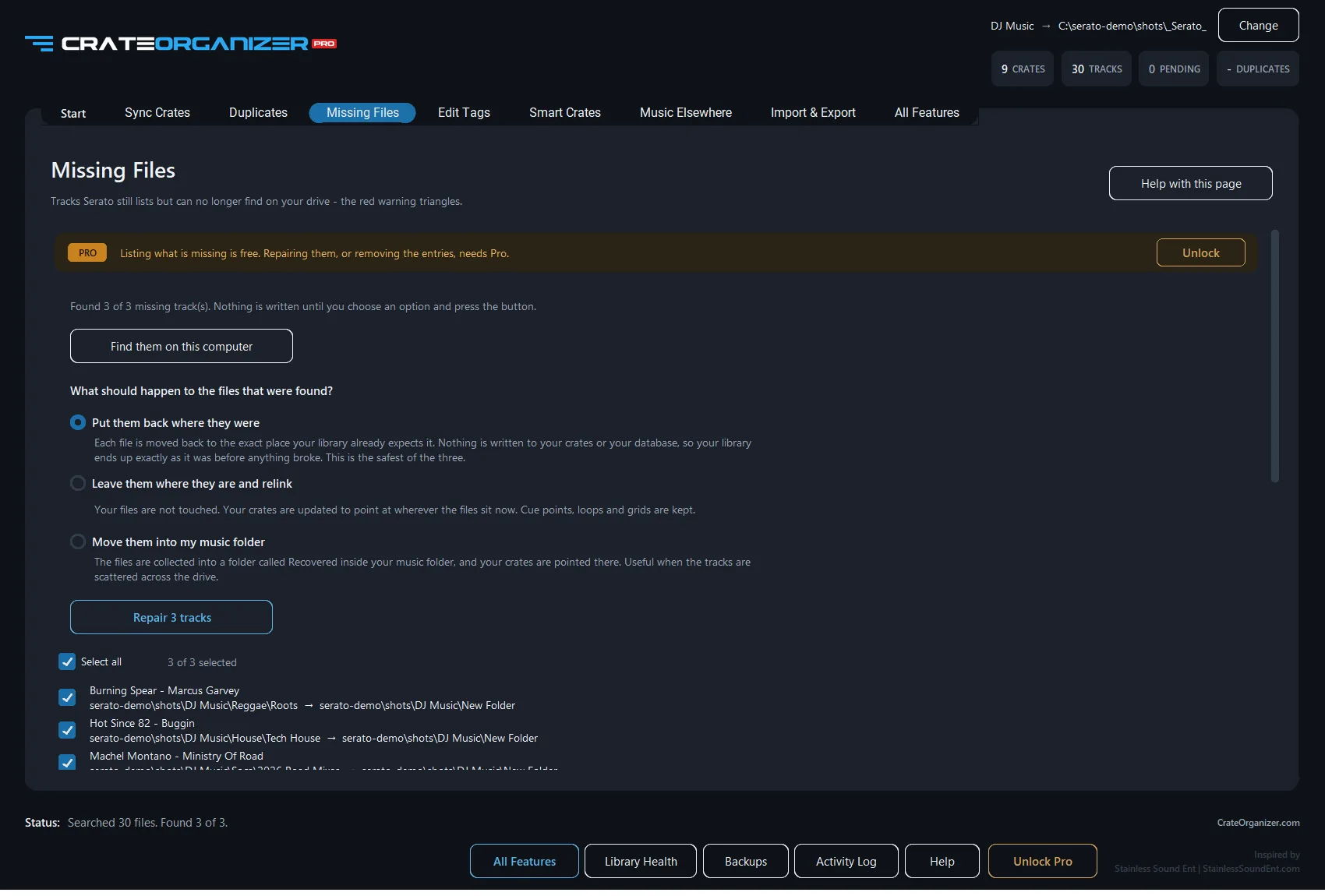
CrateOrganizer Pro will not copy files between machines, that is a job for Explorer. What it does is the part afterwards: finding every track whose path broke and relinking it, including files that were renamed on the way, which Serato’s own repair cannot match.
- Every missing track listed with artist and album before anything changes
- Disconnected drives reported as offline rather than deleted
- Cue points, loops, grids and ratings preserved
- Crates backed up first, restorable in one click
Download free for WindowsFix missing files
Serato’s own guide to this is Backing up and moving your library to a new computer. It is worth reading alongside this one.
Frequently Asked Questions
Do I need to copy the entire _Serato_ folder to the new computer?
Yes. The _Serato_ folder contains your database, crates, cues, loops, and track metadata. Copy the entire folder to keep all your data intact on the new machine.
What if my music files are on an external drive, not the new computer?
Serato will work fine if the external drive is connected. Keep the _Serato_ folder on your main drive or the external drive that holds your tracks. Make sure the paths match in Serato settings.
How do I tell Serato where to find my music after moving to a new computer?
Open Serato settings and point the library location to where your music lives on the new machine. Serato will re-scan and relink your crates without losing any cues.
Will my USB scratch DJ controller work on the new computer without reconfiguring?
Mostly yes, but reinstall the controller drivers. Your crate and cue data comes from Serato, not the hardware, so your setup transfers immediately.