
Conversion
Serato to rekordbox: pick your route before you start
Going from Serato to rekordbox is three different jobs depending on what you need to keep. Start with the wrong one and you will redo your cue points by hand. Two minutes deciding saves a weekend.
Export Serato cues to Rekordbox via third-party tools or by manually re-cuing in Rekordbox, since direct crate-to-Rekordbox import is not supported. The fastest route is to use a dedicated converter tool that maps Serato cue points to Rekordbox markers.
Which one are you doing?
| Your situation | What you need | Route |
|---|---|---|
| One gig on borrowed CDJs | Track lists on a USB | Route A, drag and drop |
| Playing both, keeping both | Crates in rekordbox, Serato untouched | Route B, export playlists |
| Switching for good | Cue points, loops and grids as well | Route C, conversion tool |
The question everyone asks first: will this affect my Serato library? With routes A and B, no. Both read from Serato and write elsewhere. Nothing is written back.
Route A: one gig, no history
Quickest and least clever. Create an empty playlist in rekordbox, select the tracks in Serato, drag them across, then export to USB in rekordbox’s Export mode.
Format the stick as FAT32 for the widest CDJ compatibility. You get the tracks and the order. You get no cue points, no loops and no grids, and you will be setting them again on the night.
Route B: keep both libraries in step
If Serato stays your main tool and rekordbox is for the gigs where the club has Pioneer gear, you want crate structure moved across without touching Serato.
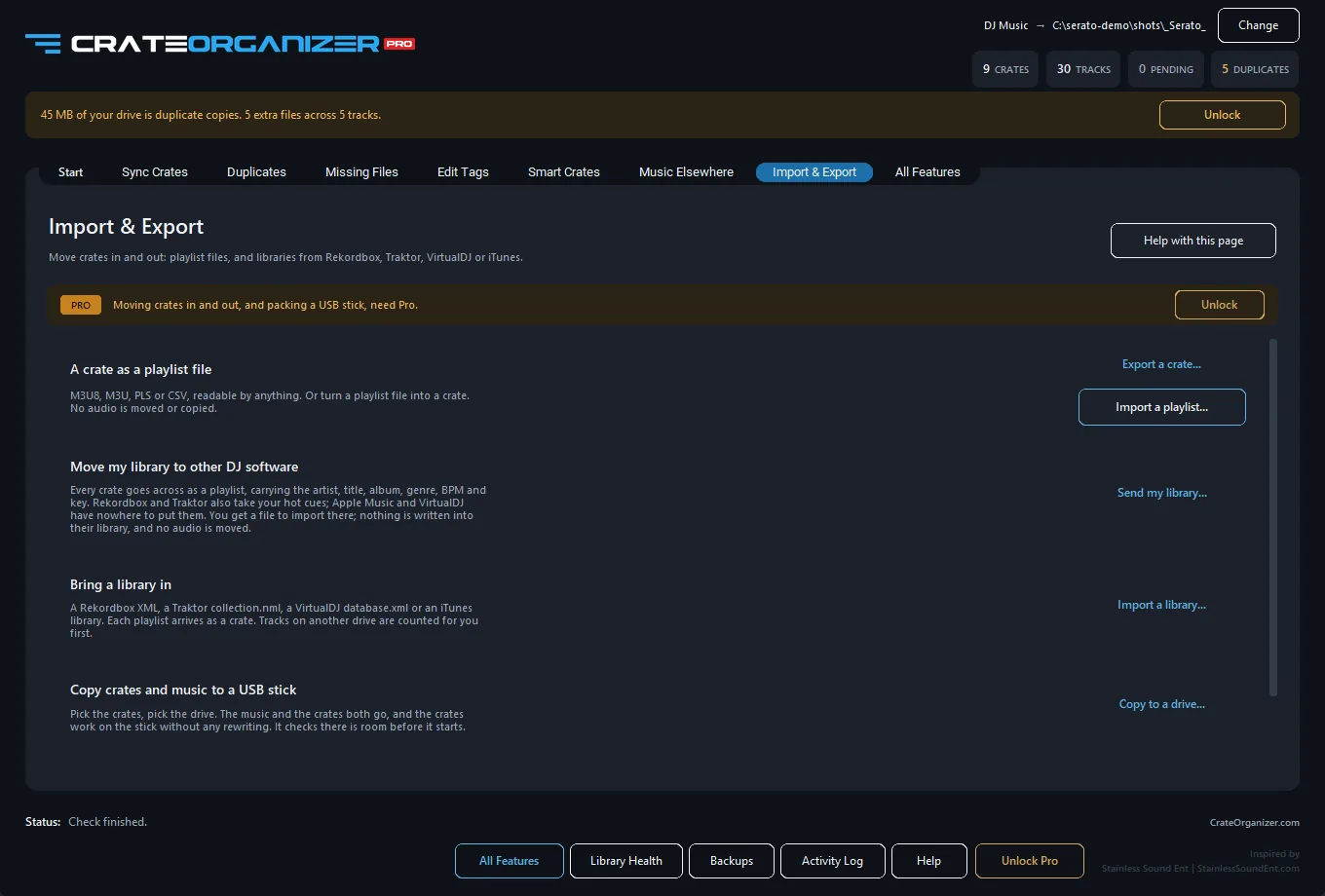
CrateOrganizer Pro exports Serato crates as rekordbox playlists, keeping the tree, and does the same for Traktor and VirtualDJ. The transfer is one-directional by design: nothing is written back to Serato.
Route C: moving everything, cue points included
This is the expensive one, and it is worth understanding why. Every DJ program stores cues, loops and grids in its own format. As one contributor put it, “All DJ software uses its very own proprietary mechanism to store DJ metadata such as cues, loops, grids etc. That is why you need conversion software.”
Dedicated converters exist and they do this properly. Two warnings before you buy one:
- Check the platform. DJCU, the tool most often recommended, is macOS only. Windows DJs get pointed at it constantly and cannot use it.
- Smart crates do not convert. They are not really crates, they are live rules, so most converters skip them. Copy their contents into normal crates before you start.
Before you touch anything
- Close Serato and rekordbox. Both hold their databases open and neither can be read reliably while running.
- Back up your
_Serato_folder. Conversion should not write to it, but you back up before anything touches a library you earn from. - Flatten your smart crates into normal crates if you want them to survive.
- Convert a handful first. Two or three crates, checked in rekordbox, before committing thirty thousand tracks.
Questions
Will converting change my Serato library?
Exporting playlists does not. It reads Serato and writes rekordbox files. Full conversion tools vary, so check before running one, and back up either way.
Do cue points transfer?
Not by dragging and not by exporting playlists. Cues, loops and grids need a dedicated conversion tool that understands both formats.
Do smart crates transfer?
Usually not. They are rules evaluated live rather than fixed track lists, so most tools skip them. Copy the contents into a normal crate first. See the smart crates reference.
What about going the other way, rekordbox to Serato?
CrateOrganizer Pro imports rekordbox, Traktor, VirtualDJ and Apple Music playlists into Serato crates, so the trip works in both directions for playlists.
Which USB format should I use?
FAT32 is the safest for Pioneer CDJs and XDJs. exFAT and HFS+ work in places but FAT32 is the one that works everywhere.
The USB reality check
Whichever route you take, the stick itself causes a fair share of the trouble on the night.
- Format FAT32. exFAT and HFS+ work on some players and not others. FAT32 works everywhere, at the cost of a 4 GB per-file limit that no DJ track will ever hit.
- Export from rekordbox, do not copy folders. CDJs read the rekordbox database on the stick, not your folder structure. Dragging files on gives you a stick that browses by filename and nothing else.
- Test on the actual player if you can. Firmware differences between CDJ generations are real, and the club will not have the newest.
- Take two sticks. Not a conversion tip, just the one every touring DJ eventually learns.
What carries across and what does not
The honest table. Going Serato to rekordbox, this is what each route actually preserves.
| Drag and drop | Playlist export | Conversion tool | |
|---|---|---|---|
| Track lists | Yes | Yes | Yes |
| Crate tree | No | Yes | Yes |
| ID3 tags | Yes, they live in the files | Yes | Yes |
| Cue points and loops | No | No | Yes |
| Beat grids | No | No | Usually |
| Ratings and colours | No | No | Varies |
| Smart crates | No | Flattened | Usually skipped |
Tags travel free because they are written into the audio files, not the library. Everything in the bottom half is Serato own data, and only a converter that understands both formats will move it.
Pioneer side of this is documented at importing Serato crates to rekordbox.
Short version
One gig, drag and drop. Running both long term, export playlists and keep Serato as the master. Leaving Serato behind entirely, budget for a conversion tool and check it runs on Windows before you pay.
Frequently Asked Questions
Does Rekordbox read Serato crates and cues?
No. Rekordbox and Serato store metadata in different formats. You will need to export cues and crates, then reimport them as text or XML. Cue points may not transfer perfectly.
What is the best way to migrate cues from Serato to Rekordbox?
Export your Serato cues to a text file or use a third-party tool to convert the Serato database to Rekordbox format. Manual review is needed because beat-grid and cue timing may differ between systems.
Will my subcrate structure survive the switch?
Only if you manually recreate it in Rekordbox. Neither system imports the other’s crate hierarchy. Plan to spend time rebuilding your tree after migration.
Should I move to Rekordbox or keep Serato?
Serato and Rekordbox each excel at different workflows. Consider your hardware, library size, and cue complexity before switching. A migration is tedious but possible on Windows or macOS.