
Reference
Serato smart crates: every limit, and the workaround
Serato smart crates build themselves from rules instead of dragging. They are genuinely useful and they stop short in four specific places, all of which people discover the hard way. This page is the reference nobody wrote.
Smart crates filter tracks by metadata criteria (BPM, key, genre) in real time but are read-only and cannot contain cues or personal edits. Standard crates are the only way to group and organize tracks with persistent cue points and manual ordering.
Capability table
| What you want | Serato | Workaround |
|---|---|---|
| Match one field, e.g. genre is House | Yes | None needed |
| Match several fields together (AND) | Yes | None needed |
| Match any of several values (OR) | No | One crate per value, or a rule-based tool |
| Nest conditions, e.g. A and (B or C) | No | Build the crate outside Serato |
| Draw only from one existing crate | No | Tag the tracks, then match the tag |
| Filter on file location or folder | No | Folder-to-crate sync instead |
| BPM range | Yes | None needed |
| Update live as tags change | Yes | None needed |
| Export to rekordbox or Traktor | No | Copy into a normal crate first |
The OR problem
The most requested missing feature, and the one people hit first. Harmonic mixing is the usual trigger: you want key equals 8A or 8B or 7A or 9A, and Serato will only give you one at a time. As one DJ put it, “seems like a huge opportunity for Serato to up their game.”
The workaround is four crates instead of one, which works and clutters the sidebar. There is no way to express it as a single rule.
The whole-library problem
Smart crates draw from your entire library, always. There is no scoping. DJs expect a smart crate placed inside a parent crate to filter that parent, and it does not:
“I only have about 300 songs in my regular crates, but when I create a smart crate it’s grabbing from every single song in my hard drive instead of just from my Serato library.”
The only reliable workaround is to tag the tracks you want included, then match on that tag. It works. It also means maintaining a tag purely to compensate for a missing feature.
The performance cliff
Smart crates are evaluated on load. A handful is instant. A few hundred is not. One DJ running 935 of them reported a twenty-minute startup and simply stopped closing Serato because of it.
If your startup has crept up, count your smart crates before blaming the library size.
Rules can vanish, and the crates stay
An unpleasant failure mode worth knowing about: the crates survive, the rules inside them do not. “All the smart crate rules are missing when I open serato. The smart crates themselves are present and correct but all the rules have vanished.”
Rules live in the crate files, so a proper crate backup captures them and a rolling one may not once it has copied the empty version over the good one. This is the same trap covered in crates disappeared.
What Serato smart crates are genuinely good at
The limits above are real, and it would be dishonest to leave the impression the feature is not worth using. Four jobs it does better than anything else:
| Rule | What it gives you |
|---|---|
| Date added is in the last 30 days | A new-music crate that empties itself |
| BPM between 122 and 128 | A tempo pocket that updates as you tag |
| Grouping contains “opener” | Set-position crates driven by one tag |
| Comment contains a gig name | A gig crate that builds itself as you dig |
The pattern is the same in all four: one field, one condition, updating live. Stay inside that and Serato smart crates are excellent. Step outside it and you hit the wall quickly.
Naming them so the sidebar still reads
A small thing that makes a large difference once you pass twenty crates. Serato sorts the sidebar alphabetically, so the names decide the order whether you meant them to or not.
- Prefix by purpose, not by genre.
NEW - last 30 days,BPM - 122 to 128,SET - openers. The prefix groups them for you. - Put the number range in the name. You will not remember which of four tempo crates is which at 1am.
- Keep gig crates out of the smart list entirely. They are one-offs; make them normal crates and delete them afterwards.
None of this is a Serato feature. It is just what stops a list of rules turning into a second problem.
How many is too many
There is no hard limit, and there is a practical one. Past a few dozen the sidebar becomes harder to read than the library it is organising, and past a few hundred your startup time goes with it.
A useful test: if you cannot find a record in three clicks under gig pressure, the structure is working against you. Fewer, broader crates with subcrates underneath beat a long list of clever rules every time.
Where CrateOrganizer Pro fits
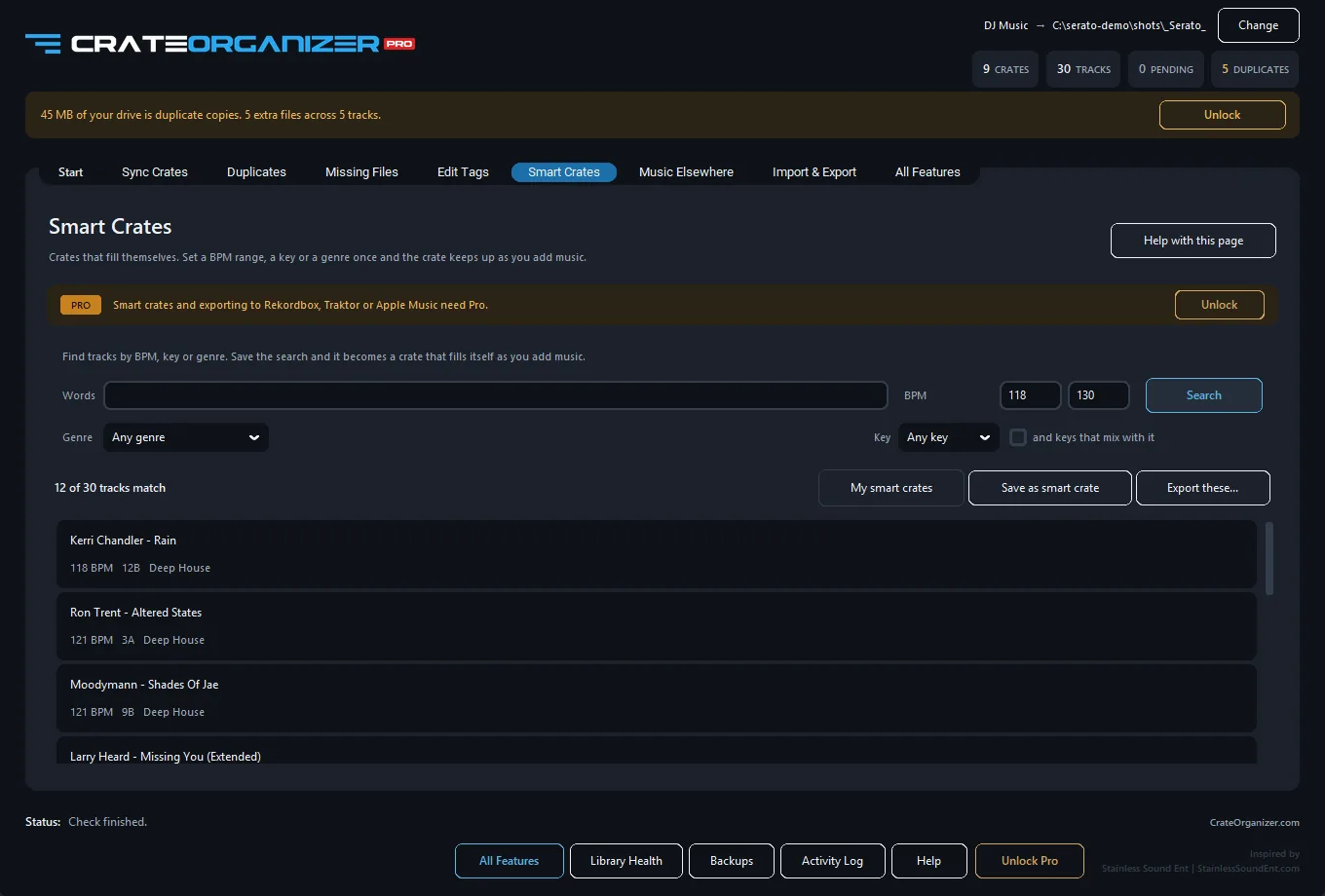
It builds crates from rules Serato cannot express, including OR across values and conditions scoped to a folder rather than the whole library.
Stated plainly, because it matters: these are written as normal Serato crates, not live smart crates. They are a snapshot at the moment you build them, and they refresh when you run it again. If you need a filter that updates by itself inside Serato, Serato’s own smart crates are the right tool despite the limits above.
Serato’s documentation: Library and crates panel.
Frequently Asked Questions
Can smart crates auto-populate based on BPM or key?
Yes. Smart crates use filters like BPM range, key, artist, and genre to dynamically populate. Add a track matching the criteria and it appears automatically.
Can I combine multiple filters in one smart crate (BPM AND key)?
Yes. Smart crates support AND logic. Set BPM between 120-125 AND key is A minor, and only tracks matching both show up.
What happens if I edit a track’s metadata after adding it to a smart crate?
If the edit breaks the filter criteria (e.g., you change BPM from 120 to 95), the track is removed from the smart crate automatically. Edit BPM back or adjust the filter.
Can smart crates create subcrates?
No. Smart crates cannot have nested subcrates. Create regular crates for hierarchy and use smart crates for dynamic filtering within each parent crate.