
Serato crates disappeared: do these four things first
If your Serato crates disappeared and you have a gig coming, close this tab in a second and go do step one. Every hour that Serato stays open is an hour it can overwrite the backup that would have saved you.
Missing crates are usually caused by a corrupt _Serato/Serato Library.nml file, a drive unmount, or a botched relocation. First, restart Serato; if crates stay gone, restore your _Serato folder from a backup or manually re-import the tracks into new crates.
Right now, in this order
- Quit Serato and leave it shut. Serato writes its version of the library on exit. Reopening it repeatedly is the fastest way to turn a recoverable problem into a permanent one.
- Do not re-import your music. The instinct is to drag everything back in. That builds a new library on top of the broken one and buries the evidence.
- Copy your
_Serato_folder somewhere safe. Whatever state it is in, copy it to the desktop before anything else touches it. - Check whether the drive is actually connected. A surprising share of vanished-crate panics are an external that came back as a different drive letter.
Done all four? Good. Now you can take your time, because nothing else is going to get worse while you read.
Work out which of the three you have
“My crates are gone” describes three different faults with three different fixes.
The crate list itself is empty
No crates in the sidebar at all. Usually the whole _Serato_ folder is missing, unreadable, or Serato is looking at a different drive than the one your library is on.
The crates are there but the tracks are gone
Crate names present, nothing inside them. Usually the database was rebuilt or replaced while the crate files survived. This is the most recoverable of the three.
The crates are there and everything is red
Nothing is lost at all. The paths broke, which is a different problem with a much easier fix. Go to the missing files guide instead.
Recovering from Serato’s own backup
Serato keeps a copy of your crates in a folder called _Serato_Backup, sitting beside the live one. The recovery is a rename, not an import.
- With Serato closed, find
_Serato_on the drive your music lives on. - Rename it to
_Serato_broken. Do not delete it. - Rename
_Serato_Backupto_Serato_. - Open Serato and look.
If it worked, do not carry on working yet. Copy the recovered folder somewhere else first, because you are now running on your only remaining copy.
When the backup is broken too
This is the part nobody warns you about, and it is the reason people lose work permanently. Serato’s backup is a rolling copy. If your crates were quietly wrong for a week before you noticed, the backup has been faithfully copying the wrong version the whole time.
One DJ described exactly this after a cleanup tool mangled his genres: “I restored from backup but the backup was still messed up.”
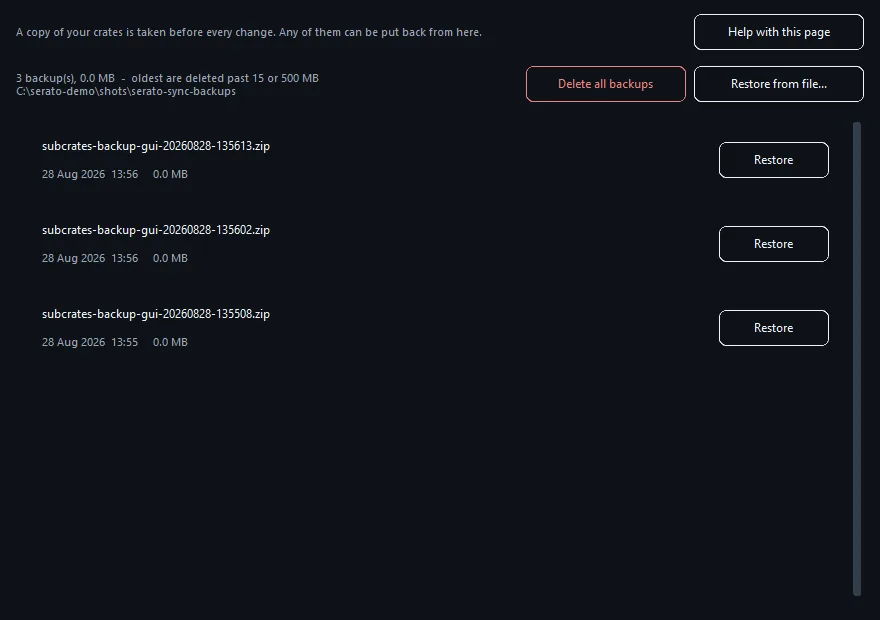
One rolling backup is not a backup. Several timestamped ones are, because you can go back past the point where things broke. CrateOrganizer Pro takes a zipped, timestamped archive before every write it makes, and a later one can never overwrite an earlier one.
How crates disappear in the first place
The cause tells you whether it will happen again next week. In practice, when Serato crates disappeared it is nearly always one of five things.
- Serato crashed while writing. A half-written database is the most common cause, and it is why a crash during a set so often surfaces as an empty library the next morning.
- An external drive was pulled without ejecting. Same failure, worse timing.
- Windows crashed. One DJ described it exactly: “tonight for no reason (after windows crashed), I opened serato and I see 0 music files, all crates dissapeared.”
- Two Serato versions sharing one library. Running an older build beside a newer one, which some people do as an Auto Import workaround, is a good way to end up here.
- Another tool wrote to the library. Anything touching
database V2while Serato is open can leave it inconsistent.
Four of those five are Serato or Windows failing, not you doing something wrong. Worth saying, because people assume they broke it.
If you have a gig tonight
Triage, in the order that gets you playing:
- Try the
_Serato_Backuprename above. Five minutes, and it works more often than not. - If that fails, build one crate for tonight by dragging your gig folder in. Ugly, playable.
- Do not attempt a full rebuild before a set. Rebuilding under time pressure is how the recoverable version gets overwritten.
- Take the broken
_Serato_folder with you on a stick. Tomorrow it may still be recoverable.
The DJ whose Serato crates disappeared twice in three days had rebuilt 3,000 tracks by hand in between. Copy the folder first, rebuild second.
Making sure it does not happen again
- Never tidy your library with Serato open. It overwrites changes made underneath it on exit.
- Pin your external drive to a fixed letter in Disk Management, so it always comes back as the same one.
- Copy
_Serato_to another drive once a month. It is a few megabytes and it is years of work. - Keep more than one restore point so a problem you did not notice immediately is still recoverable.
Download free for WindowsRead the crate sync guide
Reference: What is in the _Serato_ folder and Backing up your files, both Serato Support.
Frequently Asked Questions
Where does Serato store crate data?
Serato stores crate files in the _Serato_ folder (usually in your Music directory or on your DJ drive). The database.db file holds all crate definitions and track metadata.
Why did my crates disappear after I moved my music drive?
When you move your music drive, Serato may lose the path to the _Serato_ folder if it was relative to your old location. Check your Serato settings and re-point the database location to your new drive.
Can I recover crates if I accidentally deleted the _Serato_ folder?
Yes, if you have a backup. Otherwise, you will need to re-import your tracks and recreate crates. Always back up the _Serato_ folder before major library moves.
What if Serato says it cannot find the database file?
Close Serato, check that the _Serato_ folder exists on your drive, and that the folder is readable and not corrupted. Restart Serato and point it to the correct folder path in settings.