
Downloads
Serato DJ Download: The Official Links and a Clean Install
Searching for a Serato DJ download turns up mirror sites, YouTube links and repacked installers, and only one of those is safe. There are exactly four official pages you ever need. Here they are, along with what actually lands on your drive, where Serato puts your library, and what to do in the first five minutes after it opens.
Download Serato DJ only from serato.com. Serato DJ Lite is free at serato.com/dj/lite/downloads and Serato DJ Pro is at serato.com/dj/pro/downloads. They are two separate installers, both currently version 4.0.9, and both are safe to install over an existing setup without touching your crates.
Contents
- Every official Serato DJ download page
- Lite and Pro are separate downloads
- Installing on Windows, step by step
- Where Serato puts your library
- When the Serato DJ download or install goes wrong
- The first five minutes after it opens
Every official Serato DJ download page
Serato hosts every installer itself. Anything that is not on the serato.com domain is either out of date or is not Serato’s file at all.
| What you want | Where it is |
|---|---|
| Serato DJ Lite, free, no account needed | serato.com/dj/lite/downloads |
| Serato DJ Pro, paid or on the 14 day trial | serato.com/dj/pro/downloads |
| Everything Serato makes, in one list | serato.com/downloads |
| An older version, because a driver or a controller needs it | serato.com/downloads/archive |
At the time of writing both Serato DJ Lite and Serato DJ Pro are on version 4.0.9. The version number is printed on the download page itself, so if a site is offering you a build with a different number and calling it current, close the tab.
That archive page in the fourth row is the one most DJs never find, and it is the one that saves a gig. If a controller driver has not caught up with the newest release, or a 4.0 change broke something in your workflow, the archive lets you go back to a build that worked rather than hunting a copy on a forum.
Lite and Pro are separate downloads
This catches people out constantly. Serato DJ Lite and Serato DJ Pro are not one program with a switch in it. They are two applications with two installers, and installing one does not give you the other.
What that means in practice:
- If you buy or subscribe to Pro while running Lite, you still have to download the Pro installer separately
- You can have both installed at once, and plenty of DJs do, keeping Lite as a fallback
- Since 4.0 they share the same library, so tracks and crates you build in one appear in the other
- Your licence, not the installer, decides what Pro will let you do once it opens
If you are not yet sure which one you want, our comparison of Serato DJ Lite against Serato DJ Pro lays out what the free version genuinely does and where it stops.
Installing on Windows, step by step
- Unplug your controller first. Serato installs its drivers during setup, and a device connected mid install is the most common cause of a controller that is then not recognised.
- Close any other DJ software. Rekordbox, Traktor and VirtualDJ all grab audio devices and can hold the installer up.
- Run the installer as the user you actually DJ as. Not as a different administrator account. Serato stores your library under your own user profile, so installing as someone else puts it somewhere you will not find it.
- Accept the default install location unless you have a specific reason. Moving the application does not move your music or your library, so there is nothing to gain.
- Reconnect your controller after the first launch, not before. Let Serato open once on its own, then plug in.
Installing over the top of an existing Serato is safe and is the normal way to update. It replaces the application and leaves your library alone. It is still worth taking a backup of your library before any major version jump, for the same reason you save a document before closing it.
Where Serato puts your library
The installer puts the program in Program Files. Your library goes somewhere else entirely, and knowing where is the difference between a five minute fix and an evening of guessing when something breaks.
| What | Where it lives on Windows |
|---|---|
| Your crates, one file each | _Serato_\Subcrates\*.crate, in a _Serato_ folder at the top of the drive your music is on |
| The list of every track Serato has seen | _Serato_\database V2, beside that Subcrates folder |
| The 4.0 library, added in Serato DJ 4.0 | C:\Users\<you>\AppData\Local\Serato\Library\master.sqlite |
| Music on a second drive | Its own _Serato_ folder at the top of that drive, not merged into the first |
Two things follow from that table, and both explain problems people blame on the install.
The first is that a _Serato_ folder belongs to a drive, not to you. Plug in an external with music on it and you get a second library, which is why crates seem to disappear when a drive is not connected.
The second is that paths inside a crate are stored without a drive letter. A crate on D: can only ever point at music on D:. When Windows hands that drive a different letter, every track in it goes red, and that is the whole cause of missing files after a drive letter change.
When the Serato DJ download or install goes wrong
The download stops part way
The installer is a few hundred megabytes and a partial file will fail its own integrity check rather than install something broken. Delete what you have and start again rather than resuming, and if your browser keeps stalling, download in a different one.
Windows blocks it or SmartScreen warns you
Serato signs its installers, so a genuine Serato download should not trip a warning. If it does, you almost certainly have a file from somewhere else. Check the publisher on the file’s properties before you click through anything.
It installs, opens, and sees no controller
Nine times out of ten the controller was plugged in during setup. Unplug it, reinstall over the top, launch once, then plug in. If it is still not recognised, the controller’s own driver may need the older Serato build from the archive page above.
It opens and your library is empty
Nothing has been lost. Serato is reading a different _Serato_ folder from the one your crates are in, which usually means the drive holding your music is not connected, or you installed under a different Windows user. Work through the checks for a library that looks empty before reimporting anything, because reimporting is what actually loses your cue points.
The first five minutes after it opens
A fresh install is the best moment to get the library right, because there is nothing to undo yet.
- Point Serato at your music once, and let it finish importing before you start clicking around
- Run Analyze Files on everything overnight, so BPM and key are filled in before you need them
- Decide now whether your music lives on the internal drive or an external one, and keep it there
- Take a copy of the
_Serato_folder somewhere safe, because a library with nothing in it is the easiest one to back up
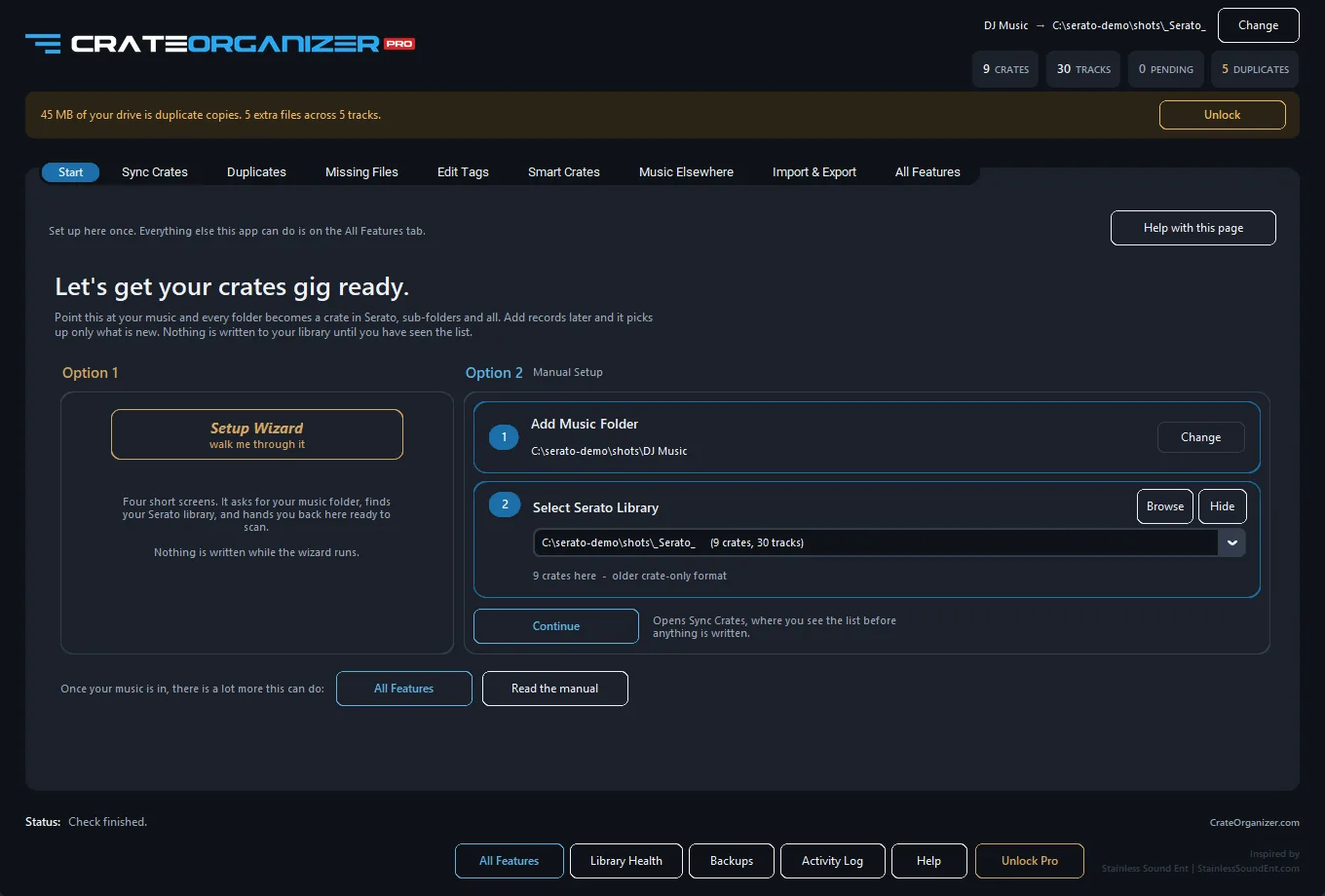
A new install is the easiest library to set up properly, because nothing has gone wrong in it yet.
If your folders on disk are already organised the way you think, the fastest way to get that structure into Serato is to mirror it rather than build crates by hand. CrateOrganizer is a free Windows app that turns every folder of music into a crate in one pass, keeps them in step as you add records, and tells you where your library actually lives if the table above did not match what you found. Syncing folders to crates is free for as long as you like.
Frequently asked questions
Is Serato DJ download free?
Serato DJ Lite is completely free and needs no account and no card details. Serato DJ Pro is a paid product at 11.99 USD a month or 299 USD once, with a 14 day free trial you can start without entering a card.
Do I need a Serato account to download?
Not to download Lite. You will need an account to activate a Pro licence or to start the Pro trial, because the licence has to be attached to something.
Can I install Serato DJ without a controller?
Yes. It installs and opens with nothing plugged in, and the Pro trial is explicitly designed to work with just your computer. Some features stay greyed out until supported hardware is connected.
Where do I download an older version of Serato DJ?
From serato.com/downloads/archive. It is the official archive of previous builds, which is the right answer when a controller driver or a plugin has not caught up with the newest release.
Will reinstalling Serato delete my crates?
No. Your crates live in a _Serato_ folder on the drive with your music, and the installer does not touch it. Reinstalling replaces the application only.
Is Serato DJ Lite the same download as Serato DJ Pro?
No, they are two separate installers. Buying Pro does not upgrade the copy of Lite you already have, so you download Pro separately. Since version 4.0 they do share the same library.