
Folders to crates
Serato folders to crates: turn your music tree into a crate tree
Serato folders to crates is not something Serato does on its own. Dragging a folder in creates one flat crate and ignores the subfolders underneath it. Mirroring a full tree, so every subfolder becomes a subcrate, needs a folder-to-crate tool.
You can convert your folder hierarchy into nested crates by importing your music and then using Serato’s folder view to drag folders into the Crates panel, or use CrateOrganizer to automate the entire process.
Contents
Serato folders to crates: the short answer
Serato has no feature that reads a folder tree and builds matching crates and subcrates. The request goes back more than a decade. On the Serato forum a 2014 thread asking for exactly this was revived in 2020 with: “Can’t believe this hasn’t been implemented after all these years. This is a such a time consuming task especially on initial setup.”
So DJs do it by hand. One described eight hours of dragging to build the crates for a 220 GB library, and the next reply was “Same lol”.
What dragging a folder in actually does
Drag a folder from the Files panel onto the crate area and Serato creates one crate containing every track it finds, including everything in the subfolders, flattened into a single list.
| What you have on disk | What Serato gives you | What you wanted |
|---|---|---|
| House → 2024, 2025, Classics | One crate called House with everything in it | House, with three subcrates under it |
To get the structure you have to drag each subfolder in separately and then arrange the crates by hand. On a tree three levels deep that is where the hours go.
The GitHub scripts, and their catch
A few community projects do this. They genuinely work, and a DJ confirmed one still ran correctly on the current Serato in late 2025. The catches are real though:
- They need Java installed and are run from a command line
- At least one handles MP3 only, and silently skips FLAC, so you find out later
- No plan is shown before writing, and no backup is taken
- They are unmaintained side projects, not something to point at a library you earn from
On the same thread a Windows DJ wrote: “this is exactly what im looking for but on win also… If anyone has worked out a solution please lemme know!”
Serato folders to crates, mirrored in one pass
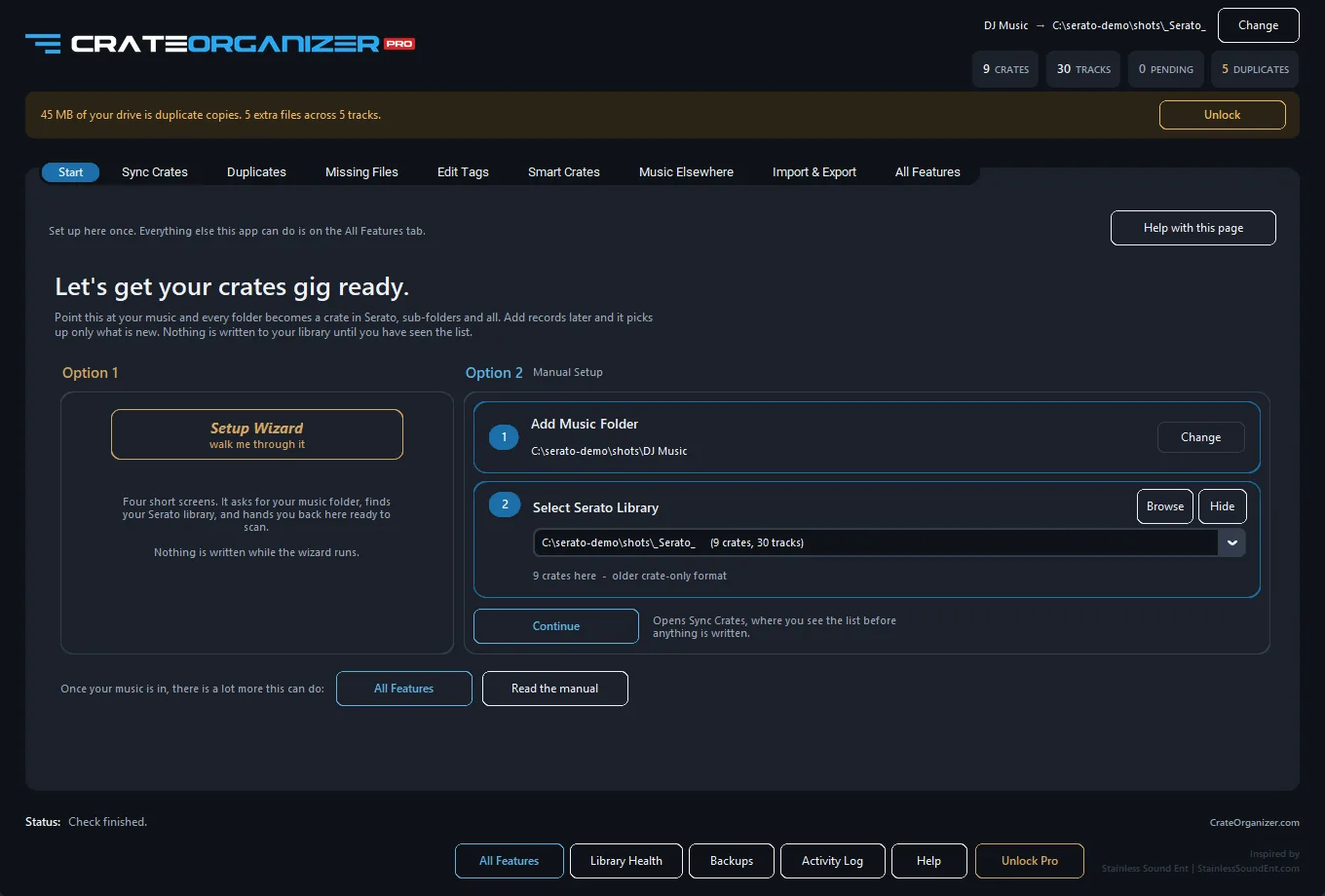
CrateOrganizer Pro reads the tree and writes the crates to match, at any depth, and this part is free forever.
- Every folder becomes a crate and every subfolder a subcrate
- FLAC, WAV, AIFF, MP3, M4A, all handled
- The full plan is shown before anything is written
- Watched folders keep it current as you buy music
- Crates you made by hand in Serato are untouched
- Everything is backed up first, restorable in one click
Serato folders to crates on Windows
Worth saying plainly, because it decides which tools are even available to you. Most Serato library tools are Mac first, and several are Mac only. If you are on Windows the shortlist is short.
| Approach | Windows? | Catch |
|---|---|---|
| Serato on its own | Yes | Cannot mirror a tree at all |
| Community Java scripts | Yes, with Java | Command line, MP3 only in places, no backup |
| Mac-only cleanup apps | No | Not an option |
| CrateOrganizer Pro | Yes | Windows 10 and 11, macOS still to come |
Doing Serato folders to crates on Windows has been the awkward case for years, which is why the same question keeps being asked and the answers keep pointing at scripts.
How to structure folders so the crates make sense
If the crates are going to mirror the folders, the folders need to be worth mirroring. What works for most working DJs:
- One music folder at the top. Not several scattered across drives.
- Genre at the first level. House, Hip Hop, Dancehall, Afrobeat.
- One more level at most. Year, energy or era. Deeper than that and you are scrolling at a gig.
- A separate top-level folder for gig sets, so they do not tangle with the genre tree.
- Do not sort by BPM or key in folders. Use smart crates for anything that changes.
Fix the folders once, sync, and the crate tree maintains itself from then on.
One caution on depth. Because Serato folders to crates mirrors exactly what is on disk, a messy tree becomes a messy crate list. It is worth half an hour flattening the folders you never open before the first sync, rather than syncing the mess and tidying crates afterwards.
Questions
Can Serato import a folder structure as crates?
No. Dragging a folder in creates one flat crate containing everything, including tracks from subfolders. Serato will not recreate the tree as subcrates.
How do I make subcrates from subfolders?
In Serato you drag each subfolder in separately and arrange the crates by hand. A folder-to-crate tool does the whole tree in one pass.
Will this create duplicates?
Not if the tool compares against what is already in the crate. Duplicates usually come from dragging folders onto All rather than onto a crate.
Does it work with FLAC and WAV?
CrateOrganizer Pro handles FLAC, WAV, AIFF, MP3 and M4A. Some community scripts handle MP3 only and skip everything else without telling you.
What if I reorganise my folders later?
Run the sync again. You see a plan of what would change before anything is written, and the previous crates are backed up first.
Sources and further reading
- What is in the _Serato_ folder, Serato Support
- Backing up and moving your library to a new computer, Serato Support
- Import folder structure into the crates system, Serato forum
Written from Serato’s own documentation, the official Serato forum and the working DJs who post about these problems. Where a quote appears, it is copied exactly, typos included.
Frequently Asked Questions
Can I import my folder structure into Serato crates automatically?
Yes. Drag a folder from your file manager into the Serato crate panel. Serato creates a matching crate tree with subcrates for each subfolder.
If my folder has hundreds of subfolders, will Serato create a crate for each one?
Yes, but this can get unwieldy fast. Before importing, organize your folders into a clean structure with 3-4 levels max. Deep folder hierarchies create cluttered crates that are hard to navigate in a live set.
Can I rename a crate after importing and keep the folder link?
Yes. Crate names are independent of folder names in Serato. Rename the crate freely, and Serato still pulls tracks from the original folder.
What if my folder structure changes after I create crates?
Serato will not auto-sync. You must re-import the folder or manually add and remove crates to match the new structure. Plan your folder layout before the import.